What a sales trigger event is
A sales trigger event is a specific, dated change at an account that makes a problem you solve more likely or more urgent. The word "dated" matters. "They are a fast-growing company" is a description. "They announced a new office in Austin on Tuesday" is a trigger event. One gives you context, the other gives you a reason to write this week.
Trigger events are a subset of buying signals. Signals include anything that raises the chance of a purchase, such as repeat visits to your pricing page. Trigger events are the changes at the company itself, usually public, usually announced, and usually visible to your competitors too. That last point is why speed matters.
Why the first week after a trigger event matters
When a company announces a change, three things happen at once. The people involved are thinking about the change and what it will require. Vendors who watch the same news start writing. And the internal plan for handling the change begins to take shape, often before any budget is formally assigned.
If you reach out in the first days, you join the conversation while the plan is still forming. If you reach out a month later, you are often responding to a plan someone else helped write. A week is a practical target: long enough to research properly and write something specific, short enough that the event is still fresh for the reader.
None of this means every trigger deserves a rush. A trigger at an account that fails your ideal customer profile is noise, however exciting the press release sounds. The playbook below starts with that check for a reason.
Sales trigger events worth a response
The table lists common trigger events, why each one tends to create a need and who is usually the right first contact. Adapt the last column to your own product.
New executive in your buyer's function
- Why it creates a need
- New leaders review tools and processes early in the role
- Who to contact first
- The new executive, plus a team lead under them
New funding round
- Why it creates a need
- Money arrives with a growth plan and hiring targets
- Who to contact first
- Founder or head of the function you serve
Hiring for a role you help
- Why it creates a need
- Budget and ownership already exist for the problem
- Who to contact first
- Hiring manager named in or implied by the posting
New office or location
- Why it creates a need
- Local setup work across hiring, IT, finance and operations
- Who to contact first
- Operations or the leader of the new site
Product launch
- Why it creates a need
- New demand on sales, marketing and support
- Who to contact first
- Product marketing or the revenue leader
Moving upmarket or into a new vertical
- Why it creates a need
- Different buyers, longer deals, new process needs
- Who to contact first
- Sales or marketing leader
Tool replacement near your product
- Why it creates a need
- A project is open and requirements are being written
- Who to contact first
- Owner of the system being replaced
Merger or acquisition
- Why it creates a need
- Duplicate tools and processes to consolidate
- Who to contact first
- Operations, IT or the integration lead
New compliance requirement
- Why it creates a need
- A deadline that forces a decision
- Who to contact first
- Compliance, security or finance lead
A seven-day playbook for acting on a trigger event
The plan assumes one rep handling one account. It takes a few short blocks of time across the week, not a full day. Each step has a clear output so a manager can see where the account stands.
Day 1 verify the event and grade the account
Open the source and confirm the facts: what changed, when and who is involved. Then check fit. Does the account match your profile on industry, size and situation? Does it hit any disqualifier? Give it a grade. Only A and strong B accounts continue to day two. Write one line in the CRM with the event, the date and the link.
Day 1 or 2 do focused research
Spend ten minutes, not an hour. Read the announcement, the careers page, the leadership page and one recent post from the person you plan to contact. Our guide on how to research a prospect in 10 minutes walks through the order. The output is three short notes: what the event probably means for them, which problem it likely creates and what you can offer that is relevant to that problem.
Day 2 send the first email
Write to the most relevant person. Open with the event in plain language, connect it to the problem, offer one concrete idea and ask a light question. Keep it under a hundred words. Do not attach a deck, do not list features and do not claim results you cannot show.
Day 3 connect on LinkedIn
Send a connection request with a short note that does not repeat the email. A line that mentions the event and one useful observation is enough. If they already accepted or replied, skip ahead to a conversation.
Day 4 reach a second person
Most decisions involve more than one person. Pick a second contact from a different angle, usually a team lead who will live with the change, and write a shorter message adapted to their role. Mention the event, not the first email. Two well-aimed messages beat five identical ones.
Day 5 follow up with something useful
Reply in the original email thread with a resource that helps with the event itself: a checklist, a short teardown, a relevant question other teams in their position tend to miss. The follow-up must stand on its own. "Just bumping this" adds nothing.
Day 7 call or decide
If you have a direct line, call the first contact and reference the event in the opening sentence. If there is still no response, decide: move the account to a watch list and wait for the next trigger, or continue a lighter sequence over the following weeks. Record the decision so the account does not fall between owners.
Message outlines for each step
The outlines below are for a company that sells hiring software, reacting to a target that just opened a second office. They show the structure, not words to copy.
- First email, for example: You just opened an office in Denver and the careers page lists eleven local roles. Hiring in a new city usually means new interview panels and a lot of scheduling by hand. Would a short checklist on running local hiring from a distance be useful?
- LinkedIn note, for example: Congrats on the Denver office. Curious how you are splitting interviews between the two sites.
- Second contact, for example: Saw the Denver roles. For recruiting coordinators, the first month of a new location is often the busiest. Happy to share what others set up first.
- Follow-up, for example: Sharing a one-page checklist for the first ninety days of hiring in a new location. No reply needed if the timing is wrong.
- Call opening, for example: I am calling about the new Denver office and the roles you are hiring for there. Do you have a minute for one question?
Each message refers to the event, stays short and asks for very little. The aim is a reply, not a meeting booked in one step.
Build a system so you see trigger events in time
A playbook only works if events reach the right rep quickly. That takes a small amount of structure.
- Keep a watch list of accounts that fit your profile but show no trigger yet. These are the accounts where a new event matters most.
- Decide which events you track. Four or five clear types are easier to act on than a long list.
- Route each event to an owner. An alert that lands in a shared channel with no owner is usually ignored.
- Set a response target, for example a first email within two working days of the event reaching the rep.
- Log every event in the CRM with the date and a source link, so the next person to touch the account can see the history.
- Review weekly which events led to replies and meetings, and drop the event types that never do.
What to do after the first week
Not every account replies. That does not mean the trigger was wrong. It may mean the timing inside the company is a few weeks later than the announcement. Keep the account on the watch list and look for a follow-on event: the new executive posts about their plans, the job posting is filled, the new office announces its leader. Each follow-on event is a new reason to write, and it carries more weight because you were already early on the first one.
If the account replied but is not ready, agree on a specific time to come back and put it in the calendar. "Reach out next quarter" is vague. "Check in after the new head of support starts in January" is a plan.
Mistakes that waste a trigger event
- Acting without checking fit, which fills calendars with meetings that never close.
- Waiting for a perfect message and sending it three weeks late.
- Copying the announcement back to the reader instead of saying what it likely means for them.
- Contacting only one person and stopping when they are busy.
- Sending a generic sequence with the event pasted into the first line.
- Forgetting to log the event, so the next rep starts from zero.
How ProspectScouter helps you act within the week
ProspectScouter watches public company pages, filings and announcements for the accounts that match your profile and puts the ones with fresh trigger events at the top of your weekly scouting board. Each account has a fit grade from A to D with reasons, so day one of the playbook is already done when you open it.
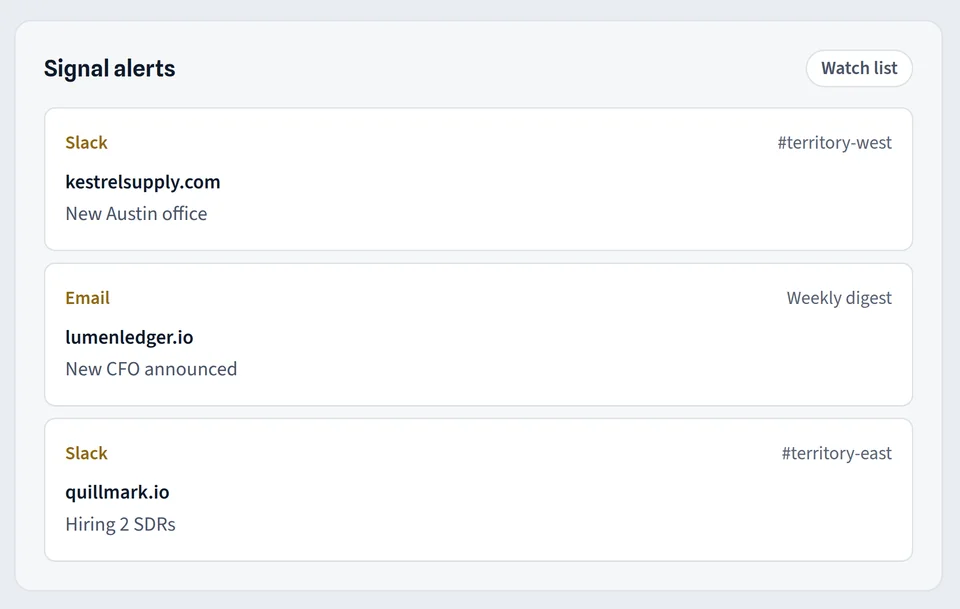
The scouting report lists each trigger with a link to its source and a quoted snippet, the roles to contact and a suggested angle, and the outreach openers feature drafts a first email and a LinkedIn note from the event in your tone. The contact finder adds verified work emails and direct lines for those roles, which you can read about on the email finder page. On Growth and above you can watch accounts and get email or Slack alerts when a new trigger appears, and sync accounts to your CRM after deduplication, as described on the integrations page.